📅 Last Updated: April 2026⏰ 8 min readBy Tax & Finance Expert
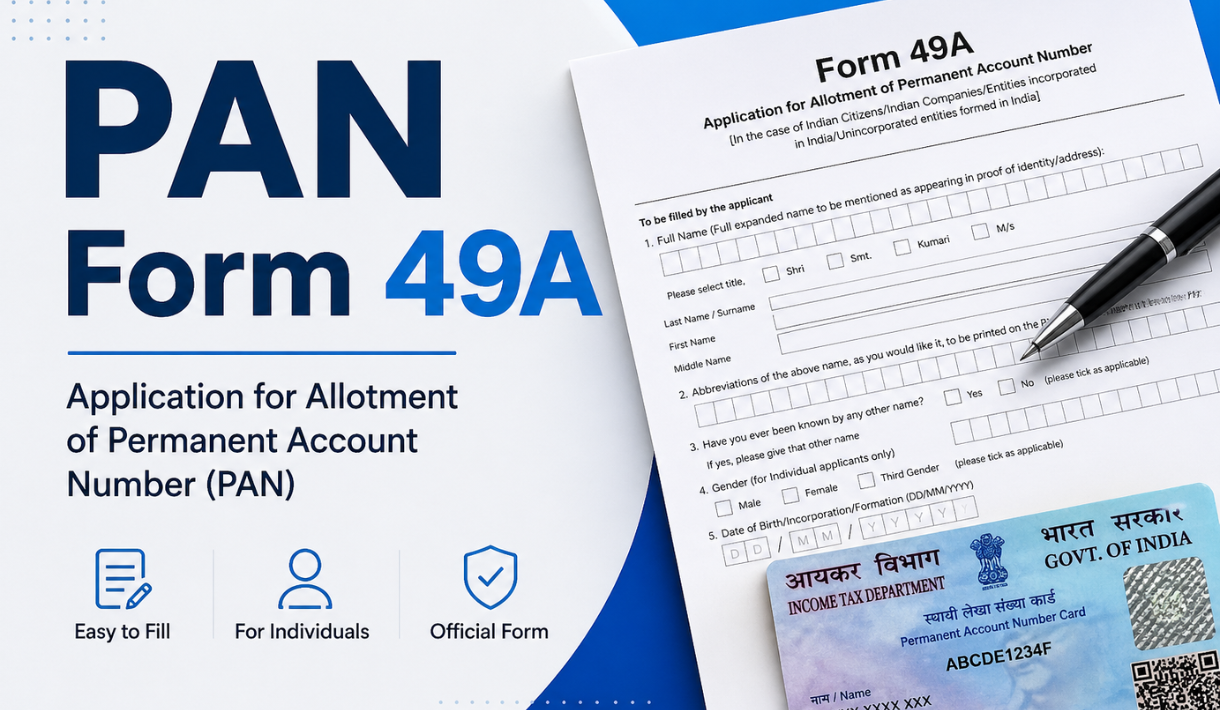
Form 49A is the official application form through which Indian residents, citizens, companies, and entities incorporated in India apply for a Permanent Account Number (PAN card) — under Rule 114 of the Income Tax Rules 1962. Whether you are opening a bank account, filing income tax returns, or conducting high-value financial transactions, your PAN card journey begins with Form 49A.
⚠ Important Update — April 2026: Effective 1 April 2026, Form 49A has been redesignated as Form 93 under the revised Income Tax Rules 2026. Applications submitted on or after this date must use the updated Form 93. Documentation and structural requirements remain broadly the same.
What Is Form 49A?
Form 49A is the prescribed application form under Rule 114 of the Income Tax Rules 1962, designed specifically for Indian citizens, Indian companies, firms, and unincorporated entities incorporated or registered in India — to apply for a new Permanent Account Number (PAN). The Income Tax Department processes these applications through two authorised PAN service providers: Protean eGov Technologies Limited (formerly NSDL) and UTIITSL — both online and offline.
The result is a unique 10-digit alphanumeric PAN in the format AAAAA8888A — assigned to every taxpayer as a permanent identifier across banking, investment, and business activities.
Why is PAN card mandatory? Opening a bank account, filing ITR, claiming tax refunds, and financial transactions above Rs. 50,000 — all require a PAN as a mandatory identifier. And it all starts with Form 49A.
Form 49A Structure & 16 Sections
Form 49A is divided into 16 sections, each with its own subsections, and two spaces at the top corners to affix photographs. Here is a detailed breakdown of every section:
Section
What It Captures
Key Notes
Assessing Officer Code
Area Code, AO Type, Range Code, AO Number
Find your AO Code on Protean or UTIITSL by entering your city or pin code
Full Name
Last name, first name, middle name — as per identity documents
From April 2026, must match Aadhaar exactly
Abbreviation of Name
How your name prints on the PAN card
Max 25 characters; consistent with full name
Other Name
Any other name the applicant is known by
First name, last name, surname required
Date of Birth / Incorporation
DOB for individuals; date of partnership, incorporation, formation, or trust deed for organisations
Must match official documents
Gender
Male, Female, or Transgender
Applicable to individual applicants only
Father’s Name
Full name of father
Mandatory for all individuals including married women
Mother’s Name
Full name of mother
Optional — inclusive provision introduced for preference
Communication Address
House number, street, locality, city, state, pin code
Used for physical PAN card dispatch
Residence & Office Address
Separate residential and office addresses
Select which one serves as communication address
Phone & Email
Country code, STD code, mobile number, email
Used for OTP, application status, and delivery notifications
Status of Applicant
Individual, HUF, firm, company, trust, etc.
Select the accurate category
Registration Number
RoC-assigned number for companies, LLPs, firms
Applicable to registered entities only
Aadhaar Number
12-digit Aadhaar
Mandatory for Indian residents; OTP-verified online
Source of Income
Salary, business, profession, capital gains, agriculture, other
Helps the Income Tax Department categorise the taxpayer
Representative Assessee
Representative’s name, address, and capacity
Required when applying on behalf of a minor or deceased individual’s estate
Documents Required for Form 49A
Getting your document set right the first time saves you from rejection or delays caused by name mismatches or inconsistencies with your Aadhaar card. Below are the three required categories:
👤 Identity Proof (any one)
Aadhaar card
Passport
Voter ID card
Driving licence
Ration card with photograph
Arms licence
Pensioner card with photograph
Government-issued photo ID card
🏠 Address Proof (any one)
Aadhaar card
Passport
Voter ID card
Driving licence
Electricity / water / landline bill (not older than 3 months)
Bank account statement (not older than 3 months)
Consumer gas connection document
Post office passbook
Government-issued domicile certificate
Broadband connection bill
📅 Date of Birth Proof (any one)
Birth certificate from a municipal authority or Indian Consulate
Pension payment order
Matriculation certificate
Marriage certificate issued by Registrar of Marriages
Passport
Driving licence
Government-issued domicile certificate
Affidavit sworn before a magistrate stating date of birth
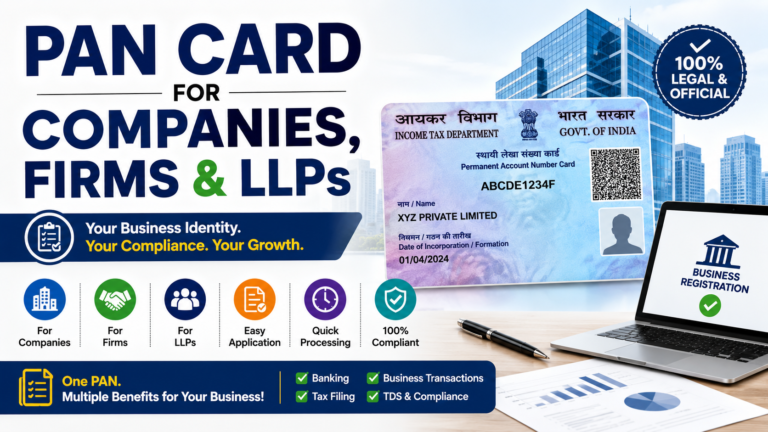
For Companies, Firms, and Other Entities
Registered entities must submit one of the following: Certificate of Incorporation from the Registrar of Companies, Partnership Deed for partnership firms, Trust Deed or Registration Certificate for trusts, or a Registration Certificate issued by a government authority.
Important: All documents must be self-attested. The name and date of birth across all submitted documents must be consistent with each other and with your Aadhaar — any mismatch can result in rejection or processing delays.
Offline Application — Step-by-Step
1
Download or Collect the Form
Download Form 49A (now Form 93) from the Protean or UTIITSL website, or collect it from an authorised PAN service centre. Print on A4-size paper.
2
Fill in English Block Letters
Fill in English only, using black ink, in block letters. Each box must hold only one character — alphabet, punctuation, or number — with a blank box left after every word. No overwriting allowed.
3
Match Name, DOB & Address Exactly to Documents
Write your name, date of birth, and address exactly as they appear on your enclosed proof documents — including complete town, city, and pin code details. Include STD code with any phone number provided.
4
Affix Photographs
Place two recent colour photographs (3.5 cm × 2.5 cm, white background) in the designated spaces. Do not staple or pin — paste only.
5
Sign or Place Thumb Impression
On the left photo box, sign so that part of the signature falls on the photo and part on the form. On the right box, sign without covering the face — the applicant’s face must be clearly visible, or the application will be rejected.
6
Submit & Collect Acknowledgement
Submit the completed form with the application fee — demand draft, cheque, or cash — at the nearest Protean or UTIITSL facilitation centre. Keep the acknowledgement receipt to track your application status.
Using a thumb impression? It must be certified by a magistrate, notary public, or gazetted officer under official seal and stamp.
Select Form 93 (previously Form 49A) for Indian individuals and entities, then choose your applicant category — individual, HUF, company, or firm.
3
Fill All Mandatory Fields
Enter your full name, date of birth, gender, father’s name, address, contact details, Aadhaar number, and source of income.
4
Verify Aadhaar via OTP
An OTP will be sent to your Aadhaar-registered mobile number — enter it to verify. This step is mandatory for all resident Indian applicants.
5
Upload Supporting Documents
Upload scanned copies of your identity proof, address proof, and date of birth proof in the specified file format and size.
6
Pay the Application Fee
For Indian communication addresses, pay Rs. 107 (Rs. 91 + GST) via net banking, UPI, debit card, or credit card.
7
Note Your 15-Digit Acknowledgement Number
After submission, a 15-digit acknowledgement number is generated — use this to track your application status on the portal. If not using Aadhaar-based e-KYC, print the acknowledgement, sign it, affix photographs, and send the physical copy with supporting documents to Protean or UTIITSL within 15 days.
Where to find your AO Code? Visit the Income Tax Office website, PAN Centre, or the PAN Service Providers’ websites — utiitsl.com or tin-nsdl.com — and enter your city or pin code to find your jurisdictional Assessing Officer Code.
Form 49A vs Form 49AA — What Is the Difference?
Not every PAN applicant is an Indian resident — and this is where Form 49AA comes in. Foreign residents and entities incorporated outside India are also eligible for a PAN card.
Feature
Form 49A
Form 49AA
Applicable To
Indian residents, Indian citizens, entities incorporated in India
Foreign residents, foreign nationals, entities incorporated outside India
KYC Requirements
Standard identity, address, and DOB documents
KYC as per SEBI regulations — applicable to foreign institutional investors and qualified foreign investors
Common Misconception: A PAN card does not display citizenship at all. It is a purely financial and tax identity document — whether you are a citizen, NRI, or OCI. This is why “changing citizenship on a PAN card” is not possible — citizenship is simply not a field on the card.
Form 49A is the official application form used by Indian residents and entities — including Indian citizens, Indian companies, and unincorporated entities formed in India — to apply for a new PAN card through authorised agencies like Protean eGov Technologies or UTIITSL. It facilitates the allocation of a Permanent Account Number by the Income Tax Department, which serves as a mandatory identifier for all banking, investment, and high-value financial transactions in India.
What is the difference between Form 49A and Form 49AA?
▼
Form 49A is for Indian residents and entities incorporated in India — requiring standard identity, address, and date of birth documents. Form 49AA is for foreign residents and entities incorporated outside India, where KYC must be completed as per SEBI regulations and is applicable to foreign institutional investors and qualified foreign investors.
How long does it take to process a Form 49A PAN card application?
▼
Processing time depends on the completeness and accuracy of the submitted documents. When documents are correct, standard processing generally takes a few business days to two weeks. You can track your application in real time using your 15-digit acknowledgement number on the Protean or UTIITSL portal.
Where do I send Form 49A — what is the mailing address?
▼
If you select physical submission mode during online application, send the following to the address printed on your acknowledgement: a signed acknowledgement with photographs (for individuals), a demand draft for the applicable fee, address proof, identity proof, and date of birth proof (for individuals and HUF Karta). Both Protean and UTIITSL portals provide the mailing address on the acknowledgement itself.
Can foreign nationals get a PAN card?
▼
Yes. Foreign nationals, foreign residents, and entities incorporated outside India are all eligible to obtain a PAN card. The applicable form is Form 49AA — not Form 49A, which is reserved for Indian residents and entities incorporated in India. NRIs and OCIs can use their PAN card to file taxes, make investments, and conduct financial transactions in India.
Can citizenship be changed on a PAN card?
▼
No — and this is a common misconception. A PAN card does not display citizenship at all. It is used to file taxes in India, carry out financial transactions, and conduct investments. This applies equally whether you are a citizen, NRI, or OCI. Since citizenship is not a field on the PAN card, there is nothing to change.
TE
Tax & Finance Expert
Senior Tax Consultant — 8+ Years of Experience
The author has over 8 years of experience in India’s taxation and financial documentation systems, having guided thousands of individuals and businesses through PAN card applications. This content is written in accordance with the official Income Tax Department guidelines and the updated rules effective April 2026.
Summary: Form 49A (now Form 93) is India’s official PAN card application form. Follow the guide above — prepare the correct documents, ensure your name matches your Aadhaar, and apply through Protean or UTIITSL. Check the FAQ section for any remaining questions, or explore the related guides linked above.