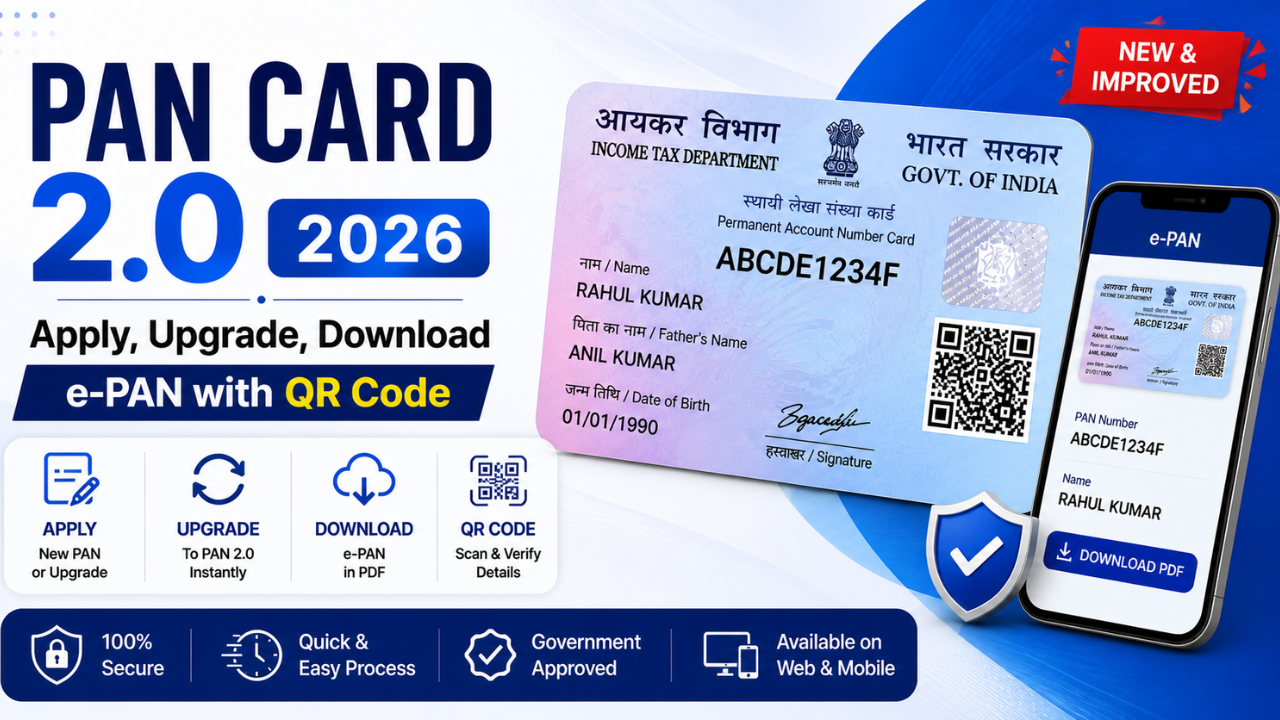
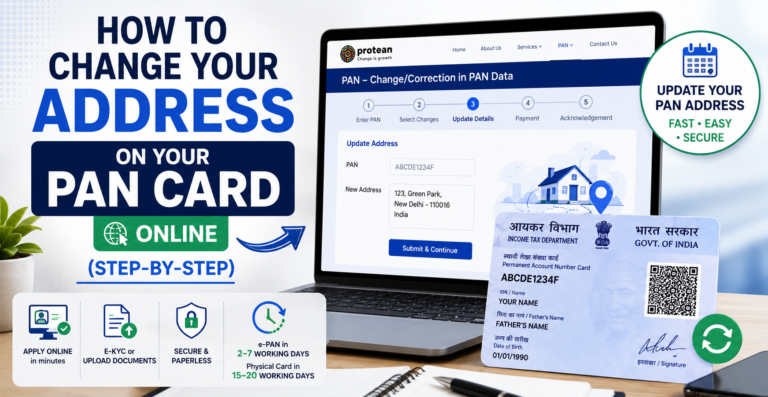
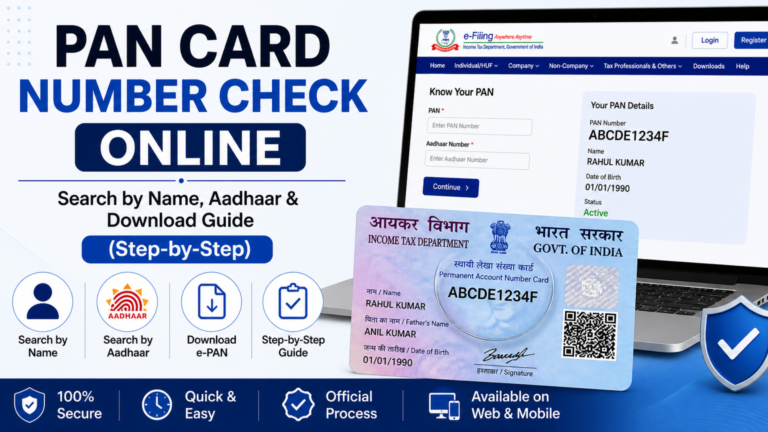
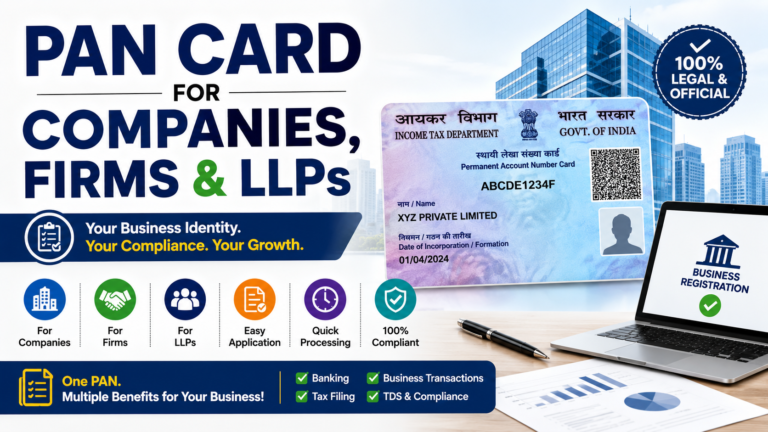
PAN Card 2.0 is the Income Tax Department’s upgraded digital PAN system that replaces paper‑only PAN cards with QR‑code e‑PANs, an online dashboard, and instant verification tools. If you’re trying to solve “How to get 2.0 new PAN card?”, “How to download pan2?”, “Can I see my PAN card online?”, or “How can I get PAN card with QR code?”, this 2026‑ready guide answers everything in one place.
Learn how to apply for PAN Card 2.0, upgrade old PAN, download e‑PAN with QR code, and view PAN online in India 2026. Step‑by‑step guide
What Is PAN Card 2.0? (The Digital Upgrade in 2026)
PAN Card 2.0 is the modernised PAN ecosystem launched under the PAN 2.0 project to simplify PAN issuance, verification, and linking with other IDs. Instead of only a physical card, PAN 2.0 focuses on: 1: e‑PAN (PDF) with embedded QR code 2: A centralised dashboard on the Income Tax e‑Filing and NSDL/UT portals 3: Faster KYC via QR scan for banks, brokers, and employers Physical PAN 2.0‑style cards are still available, but e‑PAN + QR code is now the primary proof in most online and offline use cases.
For individuals and businesses in India, PAN 2.0 changes how KYC and tax‑related checks work:
Faster onboarding: Banks, brokers, and mutual funds can verify PAN in seconds by scanning the QR code, cutting paperwork and delays.
Reduced misuse risk: QR‑code‑tied PANs are harder to fake because each QR links to your PAN/Aadhaar profile in the official Income Tax / NSDL system.
Easy recovery: If you lose your PAN card, you can re‑download e‑PAN or request a PAN 2.0‑style reprint with QR code online instead of applying again.
Unified snapshot: PAN‑linked dashboards show linked Aadhaar, GST registration, bank accounts, and TDS in one place, simplifying compliance.
NRIs, freelancers, and small businesses especially benefit because PAN 2.0 supports API‑based and digital KYC, which fintech apps, UPI merchants, and brokers rely on.
Official sources for PAN 2.0:
Income Tax e‑Filing Portal: incometax.gov.in
NSDL PAN Services: nsdl.com (PAN section)
UTI PAN Services: utiitsl.com (PAN section)
How to Apply for a New PAN Card 2.0 (Step‑by‑Step)
If you’ve never had a PAN before, you can apply for a PAN 2.0‑compatible PAN using the standard Form 49A through updated online or offline channels.
Step 1: Check eligibility and documents
You can apply if you are:
Indian citizen
Non‑Resident Indian (NRI)
Foreign national doing business in India
HUF, company, LLP, trust, or any other eligible entity
Typical documents for an individual applicant:
Proof of identity (Aadhaar / passport / voter ID)
Proof of address (Aadhaar / passport / utility bill / bank statement)
Date of birth proof (Aadhaar / passport / birth certificate)
Use the Income Tax e‑Filing portal or NSDL / UTI PAN portals.
Uses Aadhaar e‑KYC where available, which reduces paperwork and speeds up processing.
B) Offline (POS centres, banks, post offices)
Visit a TIN‑FC / PAN service centre (NSDL / UTI / CRA).
Fill Form 49A on paper, attach documents, and pay fees via cash/debit/credit/NEFT/UPPI.
Step 3: Fill Form 49A (PAN 2.0‑style Application)
When you choose “First‑time PAN applicant”:
Provide full name, father’s name, date of birth, gender, category, and contact details.
Enter your Aadhaar number (mandatory for most applicants under PAN 2.0‑linked rules).
If your Aadhaar and PAN data match, you may skip uploading extra address proof. If there’s a mismatch, you may be asked for OTP or biometric verification at a centre.
Step 4: Upload documents and pay the fee
Depending on the portal:
Upload scanned copies of ID, address, photo, and DOB proof, or
Skip uploads if you’re using Aadhaar e‑KYC (system auto‑fetches details).
Typical fees (2026 ballpark; always check the portal):
Category
Approx. Fee (₹)
Indian citizen (e‑PAN only)
100–107
Indian citizen (with physical PAN 2.0‑style card)
107–116
NRI / foreign applicant
989–1020
Payment methods generally include debit/credit card, net banking, NEFT, UPI, and cheque (if offline).
Step 5: Confirm via OTP and track status
The portal sends an OTP to your registered mobile/email to verify identity.
After payment, you receive a 15‑digit acknowledgement number (e.g., XXXXXXYYYYZ).
If you already have a PAN but no QR code and no e‑PAN PDF, you can upgrade to PAN 2.0‑style features without getting a new PAN. This is usually called PAN re‑print with QR code.
Why Consider Upgrading?
Convert your old laminated PAN to a QR‑code‑enabled PAN 2.0‑style card.
Obtain a fresh e‑PAN PDF with QR code that you can download anytime.
Ensure your PAN is visible and up to date in the PAN 2.0‑linked Income Tax e‑Filing / NSDL/UTI dashboards.
Step‑By‑Step PAN 2.0 Upgrade (Re‑Print)
Log in to the Income Tax e‑Filing portal
Go to incometax.gov.in and log in with your PAN + password (or via OTP).
Open “Profile” → “PAN Card” or “Request for New PAN Card and/or Changes or Correction”.
Select “Re‑print of PAN Card with QR Code”
Confirm that you already have a PAN and only want a QR‑code reprint, not a new PAN.
Verify your details
The system auto‑fills your existing PAN data.
You review:
Name
Father’s name
Date of birth
Address (update if needed)
Choose delivery option
e‑PAN only (PDF): Usually free, sent by email.
e‑PAN + physical PAN 2.0‑style card: Slightly higher fee (around ₹50–135, depending on courier).
Pay and track
After payment, you get a re‑print request number.
e‑PAN (PDF with QR) typically arrives in 24–48 hours.
Track full status on the same portal or via the NSDL/UTI “Track PAN/TAN” page Warning / Safety Note:
If your PAN details have changed (name, DOB, address), you must file a PAN correction request first, not just a re‑print.
Using incorrect or fake details can lead to PAN blockage or official notices from the Income Tax Department.
How to Download PAN 2.0 / e‑PAN and View Your PAN Online
One of the most common questions is: “Can I see my PAN card online?” and “How to download pan2?” Yes. PAN 2.0 lets you view basic PAN details and download your e‑PAN PDF legally from official portals.
Method 1: Download e‑PAN from Income Tax e‑Filing
Visit the Income Tax e‑Filing portal (incometax.gov.in).
Log in with your PAN + password (or OTP login).
Go to “Profile” → “PAN Card” or “Download e‑PAN”.
Click “Download” and save the PDF with QR code on your phone or laptop.
This PDF functions as your PAN 2.0 / e‑PAN card and is accepted by most banks, brokers, and employers for KYC.
Method 2: Download via NSDL or UTI Portals
Open the NSDL PAN or UTI PAN service portal.
Click “Download e‑PAN” (often under “Services” or “Track Status”).
Enter:
Acknowledgement number (for new PAN), or
PAN + CAPTCHA (for existing PAN).
Accept an OTP on your registered mobile/email.
After verification, download the PDF with QR code.
Method 3: Use trusted bank or broker apps
Some banks and broker apps (for example, Zerodha, Groww, Paytm, etc.) support in‑app QR‑scan‑based PAN verification that pulls PAN‑compatible data from government/Aadhaar APIs, so you don’t need to upload a file at all.
How to Get a PAN Card with QR Code (Physical PAN 2.0‑Style)
If you prefer a laminated physical card with QR code (PAN 2.0‑style card), follow this:
Apply or request re‑print (as above) and select “physical PAN card with QR code” where available.
Pay the applicable fee, which is higher than e‑PAN‑only.
Wait for delivery by speed post (around 7–15 working days).
Once received, you can:
Use the QR code to verify your PAN in seconds at bank branches, KYC centres, or broker apps.
To make your PAN 2.0 experience smoother, safer, and more efficient:
Always keep the latest e‑PAN PDF Store the latest e‑PAN PDF with QR code on your phone in both a local folder and a cloud backup (like Google Drive or OneDrive). Name the folder “KYC / PAN” so you can find it instantly during bank, broker, or employer KYC checks. This avoids scrambling to download or print your PAN last minute.
Pre‑enable PAN + Aadhaar verification Wherever possible (banks, brokers, stock apps, UPI platforms), enable PAN + Aadhaar auto‑verification once KYC is done. This lets the system reuse your PAN 2.0‑compatible data instead of asking you to re‑upload the same PDF every time, saving time and reducing upload errors.
Scan your own QR code occasionally Use a bank app, stock app, or WhatsApp/Google Lens QR scanner to scan your own e‑PAN or physical PAN 2.0 card once in a while. This confirms your PAN 2.0 data is up to date and verifiable in real‑time, and helps you catch any mismatched name or DOB before you run into issues.
Update address and mobile number proactively Ensure your address and mobile number are current in the Income Tax e‑Filing portal and linked systems. Outdated contact details can delay OTPs, re‑print delivery, and PAN‑linked notifications. Update them as soon as you move or change your number to keep your PAN 2.0 active and responsive.
Avoid fake “instant PAN 2.0” portals Only use official sources like incometax.gov.in, NSDL, UTI, or authorised bank/POS centres for PAN 2.0 applications, re‑prints, and downloads. Fake sites promising “PAN 2.0 in 1 hour” often misuse your Aadhaar and PAN data, so always double‑check the URL and look for GOI/IT‑department logos.
Use PAN 2.0 e‑PAN as primary proof for online KYC For online onboarding (banks, mutual funds, UPI merchants, brokers), make your PAN 2.0 e‑PAN PDF your default PAN proof instead of the old laminated card. This reduces the risk of losing or damaging the physical card, and aligns with how most regulated platforms now verify PAN through QR‑based or e‑PAN‑linked processes.
Common Problems and Troubleshooting
Many PAN 2.0 help articles skip these practical issues, so here’s what actually breaks and how to fix it.
Problem 1: PAN not visible or updated in the e‑filing portal
Likely cause: Old PAN data cached, login linked to the wrong PAN, or Aadhaar mismatch. Fix:
Clear your browser cache, log out, and log back in.
Go to “Profile → PAN” and confirm that the correct PAN is shown.
If PAN is wrong, submit a PAN correction / change request under “Request for New PAN Card and/or Changes or Correction” and wait 5–7 working days for the update to reflect.
Problem 2: e‑PAN PDF won’t open or QR code fails to scan
Likely cause: Corrupted download, low‑quality PDF viewer, or weak scanner. Fix:
Download the PDF again from the Income Tax e‑Filing, NSDL, or UTI portal.
Open it in Adobe Reader or a recent PDF viewer instead of a basic mobile app.
Use a strong QR scanner like WhatsApp, Google Lens, or a bank/app scanner instead of a weak in‑app tool.
Problem 3: Address mismatch in PAN 2.0 dashboard
Likely cause: Old address still in the PAN database; PAN correction not completed. Fix:
File a PAN correction / change request on the Income Tax e‑Filing or NSDL/UTI portal and upload new address proof.
Allow 5–7 working days for the update, then download a fresh e‑PAN to confirm the new address is visible.
Problem 4: Re‑print request status stuck
Likely cause: Payment gateway glitch, incorrect mobile/email, or backend server delay. Fix:
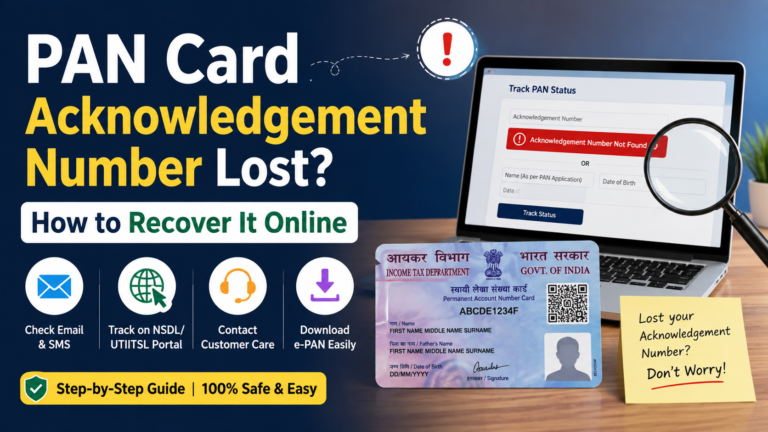
Check “Track PAN/TAN Application Status” using your acknowledgement/re‑print number.
If status remains unchanged for more than 7 working days, contact NSDL/UTI support or visit a nearby PAN service centre with your acknowledgement proof.
Use Aadhaar e‑KYC from the Income Tax e‑Filing portal and confirm your Aadhaar and PAN details match exactly.
If OTP fails, visit an Aadhaar kendra, correct Aadhaar data first, then retry the link; PAN 2.0 functions best when PAN and Aadhaar are fully synced.
PAN Card 2.0 FAQ
PAN Card 2.0 is the upgraded digital PAN system that replaces old laminated cards with QR‑code e‑PANs and a central online dashboard for faster KYC, verification, and linking with Aadhaar, GST, and bank accounts.
PAN 2.0 is not a separate law, but e‑PAN with QR code or PAN 2.0‑style card has become the default proof for banking, investments, and KYC; old physical‑only cards are increasingly treated as outdated.
New applicants: Apply via Income Tax e‑Filing, NSDL, or UTI; you get e‑PAN with QR and optional physical PAN 2.0‑style card with QR.
Existing holders: Use “Re‑print of PAN Card with QR code” on e‑Filing or NSDL/UTI for a fresh QR‑equipped PAN.
Go to Income Tax e‑Filing → Profile → PAN Card / Download e‑PAN, log in with PAN + OTP, and download the PDF.
Or use NSDL / UTI PAN portals → “Download e‑PAN” with PAN/ack‑no and OTP.
Yes, you can view PAN details and download e‑PAN anytime from:
Income Tax e‑Filing portal under “Profile → PAN Card”
NSDL / UTI “Track PAN/TAN” or “Download e‑PAN” sections Both are official and legally accepted.
Typical 2026 fees (approx.):
New PAN (e‑PAN only): ₹100–107
New PAN + physical PAN 2.0‑style card: ₹107–116
Re‑print with QR (physical): ₹50–135
NRI / foreign applicant: ₹989–1020
Yes. e‑PAN with QR and PAN 2.0‑style physical card are fully valid for banks, brokers, and mutual funds. If PAN is blocked/inactive, you must fix compliance with the Income Tax Department first.
Final Thoughts
Conclusion
✦
“
PAN Card 2.0 is the smart, secure, QR‑driven upgrade to the old PAN system. Instead of only a laminated card, you now use e‑PAN PDFs with QR code, online re‑prints, and instant verification for banks, brokers, and UPI platforms.
To stay compliant and safe in 2026:
Always keep the latest e‑PAN,
Use official portals (Income Tax e‑Filing, NSDL, UTI),
Update your address, mobile, and Aadhaar link when they change.
This one guide covers how to apply, upgrade, download PAN 2.0, get a QR‑code PAN, and fix common issues—all in one simple, practical resource.