How to Track PAN Card Speed Post Delivery Online
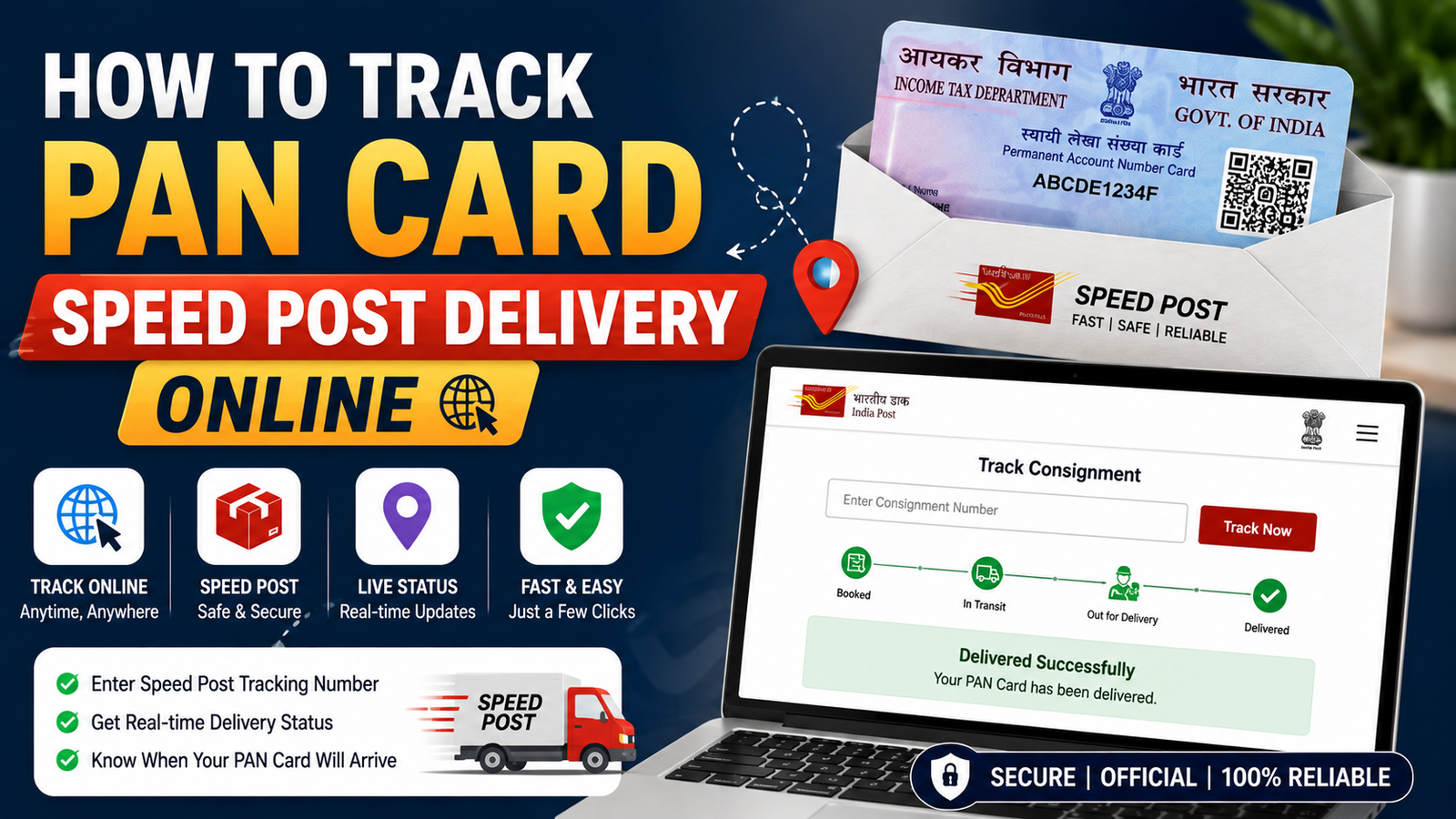
How to Track PAN Card Speed Post Delivery Online. Once your PAN application is approved and your card is printed, it doesn’t just appear at your door it travels through India Post’s Speed Post network, and you can follow every step of that journey online if you know where to look.
Once your PAN status shows “dispatched,” get your 13-digit Speed Post consignment number from the NSDL or UTIITSL status page, then track it on the India Post Track & Trace portal, or via SMS by sending PODT Track <13-digit number>
Confirm Your PAN Has Actually Been Dispatched
You can only track Speed Post delivery once your card has moved past processing into the dispatch stage. Check this first:
Via NSDL (Protean):
- Visit the NSDL PAN status tracking page.
- Select “PAN – New/Change Request” as the application type.
- Enter your 15-digit acknowledgement number and the captcha code.
- If your card has been dispatched, the status will show “Dispatched” along with your Speed Post consignment number.
Via UTIITSL:
- Visit the UTIITSL PAN tracking page.
- Enter your 9-digit application coupon number, or your PAN and date of birth.
- If dispatched, your consignment/tracking number will be displayed alongside the dispatch date.
If your status still shows “Under process” or “PAN allotted” without a consignment number, dispatch tracking won’t be available yet check back after a few days.
Get Your Speed Post Consignment Number
This is a 13-digit alphanumeric code (for example, in the format ED123456789IN) generated by India Post once your card is handed over for delivery. NSDL or UTIITSL will display this number on their status page once dispatch happens, and it’s also often sent via SMS or email to your registered contact details.
Track It on India Post’s Website
- Go to the official India Post website.
- Look for the “Track & Trace” section on the homepage.
- Enter your 13-digit consignment number.
- Click “Track Now” or “Search.”
- You’ll see real-time updates: dispatch time, current location, transit checkpoints, and expected delivery date.
Track via SMS
If you don’t have internet access, you can track the same consignment number by SMS:
- Type:
POST Track <13-digit consignment number> - Send it to 166 or 51969
- You’ll receive a text back with the current delivery status.
This is a useful backup method if the India Post website is slow or temporarily unavailable.
Understanding the Delivery Status Messages
| Status Shown | What It Means |
|---|---|
| Booked / Accepted | Your PAN card has been handed over to India Post and accepted into their system |
| In Transit / Dispatched from Origin | The parcel is moving between sorting centers toward your city |
| Arrived at Destination Office | The parcel has reached the post office serving your local area |
| Out for Delivery | The postman is currently carrying your PAN card for delivery to your address |
| Delivered | Your PAN card has successfully reached you |
| Returned Undelivered / RTO | Delivery failed usually because no one was available to receive it, or the address couldn’t be located |
How Long Does Delivery Actually Take?
- Dispatch to delivery: Most PAN cards arrive within 3–5 days once the “Dispatched” status appears.
- Overall timeline (application to delivery): Typically 15–20 working days from the date of successful application, though this can extend further during peak application periods or for remote locations.
What to Do If the Status Shows “Returned Undelivered”
This usually happens for one of two reasons:
- No one was available at the address to receive the parcel during the delivery attempt(s).
- The address on record couldn’t be located by the postman often due to an incomplete or outdated address.
If this happens:
- Confirm your registered address is complete and accurate through the NSDL/UTIITSL portal.
- If the address needs correction, you’ll need to submit a PAN address correction request before requesting re-dispatch.
- Contact NSDL or UTIITSL customer care to request re-dispatch once your address is confirmed as correct.
What If My Consignment Number Isn’t Working on the India Post Site?
- Double-check you’ve entered the code exactly, including any leading letters a single mistyped character will return no results.
- Wait a few hours after dispatch, since tracking systems can take some time to register a newly booked consignment.
- Try the SMS tracking method as an alternative if the website isn’t showing updates.
Who to Contact for Delivery Delays
- Protean (NSDL) customer care: Toll-free number 1800 222 990, for queries about delays in your PAN card reaching your communication address.
- UTIITSL customer care: Available through their official website’s contact section, for similar dispatch and delivery queries.
- India Post / local post office: For issues specific to the parcel once it’s already in their delivery network for example, if it’s stuck at a particular sorting center for an unusually long time.
Does e-PAN Delivery Work the Same Way?
No this entire tracking process applies only to the physical card, sent via Speed Post. Your e-PAN (the digital PDF version) doesn’t go through postal delivery at all; it’s typically made available for download within 1–7 days after your PAN is allotted, directly through the NSDL, UTIITSL, or Income Tax e-Filing portal.
FAQs
Can I track my PAN card before it’s dispatched? No. Speed Post tracking only becomes available once your card has moved into the dispatch stage and a consignment number has been generated. Before that, you can only see your application’s processing status.
What does the 13-digit consignment number look like? It’s a Speed Post-specific tracking format, typically a combination of letters and numbers (for example, ending in “IN”).
Is there a fee for tracking my PAN card delivery? No, tracking is free both through the India Post website and via SMS.
How long after dispatch does delivery usually take? Most PAN cards are delivered within 3–5 days of the “Dispatched” status appearing, though this can vary by location.
What if my PAN card shows delivered but I never received it? Contact your local post office immediately with your consignment number to raise a delivery discrepancy, and also inform NSDL/UTIITSL customer care so they’re aware of the issue.
Can I redirect my PAN card to a different address after it’s already dispatched? Generally, no once dispatched, the card is sent to the address on record at the time of dispatch. If you’ve moved, it’s best to update your address through a PAN correction request before your card is dispatched, or arrange for someone at the original address to receive and forward it.
Does the tracking number change if the PAN card is returned and re-dispatched? Often, a new consignment number is generated for the re-dispatch, so check the NSDL/UTIITSL portal again after requesting re-dispatch rather than continuing to use the original tracking number.
Can I track multiple PAN card applications at once? Yes, as long as you have the individual consignment number for each one you’ll need to track them separately, one number at a time.
Conclusion
Tracking your PAN card’s Speed Post journey is straightforward once your status shows “Dispatched” grab the 13-digit consignment number from the NSDL or UTIITSL portal, plug it into India Post’s Track & Trace tool (or SMS it to 166/51969), and you’ll have a clear picture of exactly where your card is and when it’s likely to arrive.