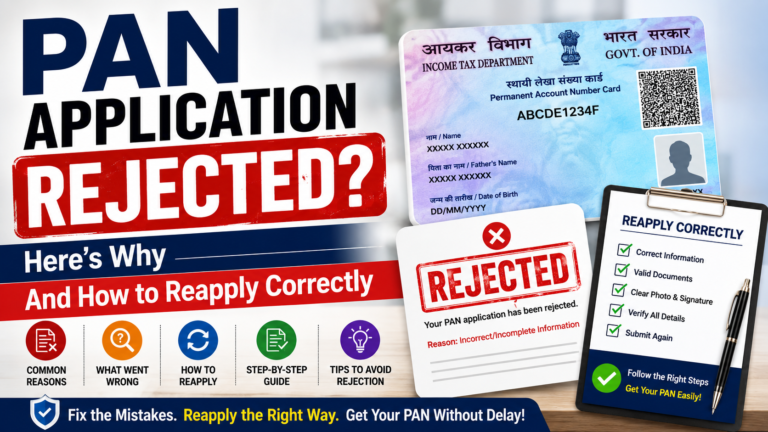
PAN Application Rejected? Here’s Why And How to Reapply Correctly
PAN Application Rejected. A rejected PAN application is frustrating, but it’s rarely a dead end. Most rejections come down to a handful of fixable issues document quality, a mismatch with your Aadhaar record, or a simple form error and reapplying correctly the second time is usually quick once you know exactly what went wrong.
Check your rejection email/SMS or your application status on the NSDL/UTIITSL portal for the specific reason. Most rejections fall into document quality issues, name/DOB/address mismatches with Aadhaar, incomplete forms, or a duplicate PAN already existing. Fix the specific issue, then either resubmit corrected documents against your existing acknowledgement number (if the portal allows it within the resubmission window) or file a fresh application.
Why PAN Applications Actually Get Rejected
1. Document Quality Issues
This is the single most common cause. Includes:
- Blurred, dark, or low-resolution scans where text isn’t clearly readable
- Documents with cropped-out or missing sections
- Wrong file format or file size outside the portal’s accepted limits
- Photos with a colored background, poor lighting, or the face not clearly visible
2. Name, Date of Birth, or Address Mismatch
Since Aadhaar-PAN verification checks your details against your Aadhaar record, even small inconsistencies can trigger rejection:
- Using initials instead of a full name where the form requires one
- A name spelled differently across your application and your supporting documents
- A date of birth on the application that doesn’t match your birth certificate, Aadhaar, or other ID
- An address proof document that’s expired, unclear, or missing the PIN code
3. Incorrect or Incomplete Form Details
- Missing PIN code in the address section
- Signature made outside the designated signature box
- Missing ISD/STD code with the contact number
- Required fields left blank
4. Invalid or Ineligible Proof Documents
- Submitting a document type that isn’t on the accepted list (for example, a student ID instead of a valid government-issued ID)
- An expired passport or driving licence used as proof
- A bank statement from a cooperative or non-scheduled bank that isn’t accepted as address proof
5. Duplicate PAN Detected
If the system finds an existing PAN under a matching name, date of birth, and father’s/parent’s name, your new application will be rejected since holding more than one PAN is not permitted. In this case, you don’t need a fresh application at all; you need to either retrieve your existing PAN or file a correction/reprint request instead.
How to Find Out the Exact Reason
- Check the email and SMS sent to your registered contact details NSDL/UTIITSL typically communicate the rejection reason there.
- Log in to the NSDL or UTIITSL portal using your 15-digit acknowledgement number to view your application status and any discrepancy notes.
- If the reason isn’t clear from the notice, you can also visit your nearest PAN service centre in person, or contact the NSDL/UTIITSL helpdesk, to ask for clarification.
How to Reapply Correctly, Step by Step
- Identify the exact rejection reason from your email, SMS, or the portal status page don’t guess.
- Gather corrected documents. Depending on the issue, this may mean a clearer scan, a different accepted document type, or an updated Aadhaar record.
- Check whether you can resubmit against your existing application, or whether you need to file a fresh one. Many portals allow a free document resubmission within a limited window (commonly around 15–30 days) if only the documents need fixing after that window, a fresh application with a new fee may be required.
- Ensure your name, date of birth, and address match exactly across your application and all supporting documents, and against your Aadhaar record where applicable.
- Re-verify photo and signature specifications if that was the issue a plain light-colored background, clear front-facing photo, and a signature within the designated box in dark ink.
- Submit the corrected application or documents, and save the new acknowledgement number if you’ve filed afresh.
- Track your new application status to confirm it’s been accepted for processing.
If a Duplicate PAN Was the Issue
Don’t file a fresh application in this case. Instead:
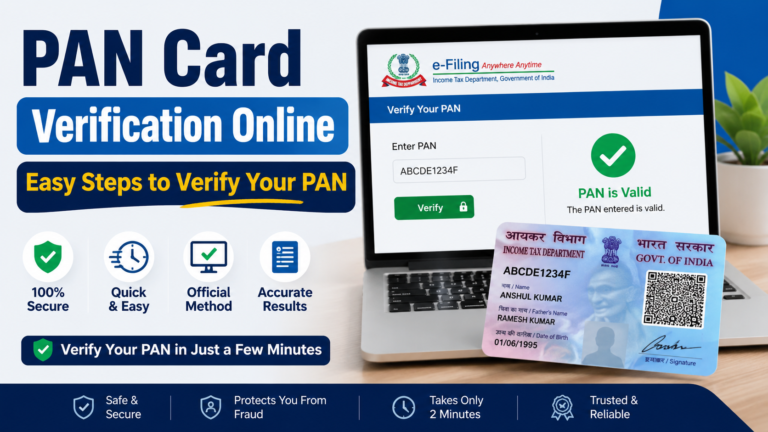
- Use the “Know Your PAN” facility on the Income Tax e-Filing portal to retrieve your existing PAN using your name, date of birth, and mobile number.
- If your existing PAN just needs updated details, file a correction request, not a new application.
- If you genuinely hold two PAN numbers by mistake, follow the proper PAN surrender process for the extra one, rather than trying to get a third PAN issued.
Fixing Aadhaar Mismatches
Since Aadhaar-PAN cross-verification is a major source of rejections, it often helps to fix the underlying record rather than repeatedly resubmitting the PAN form:
- Update your name, date of birth, or address on Aadhaar first through UIDAI, if that’s the record that’s actually incorrect.
- Alternatively, if your Aadhaar is correct and your other documents are the ones with the discrepancy, correct those documents instead.
- Reapply for PAN once your identity documents are consistent with each other.
Fees for Reapplication
- If you’re resubmitting corrected documents within the free resubmission window against your existing application, there’s typically no extra fee.
- If you need to file a completely fresh new application, the standard new-PAN fee applies (around ₹107 for an Indian address with a physical card, or ₹72 for e-PAN only).
- If the issue relates to a PAN correction rather than a fresh application, the standard correction fee applies instead (around ₹50 for an Indian address).
Always confirm the current fee on the official NSDL (Protean) or UTIITSL portal, since amounts are revised periodically.
How Long Does Reapplication Take?
There’s no universal fixed timeline, but many document-only resubmissions are reviewed within a few days once corrected files are uploaded. A completely fresh application follows the standard new-PAN processing timeline typically a few days for the e-PAN and around 15–20 working days for a physical card, once accepted.
How to Avoid Rejection the Second Time
- Scan documents clearly, in good lighting, with nothing cropped out.
- Use your full legal name exactly as it appears on your identity documents avoid initials unless that’s how your name is officially recorded everywhere.
- Double-check your PIN code, ISD/STD code, and signature placement before submitting.
- Make sure your Aadhaar and your submitted documents agree on your name, date of birth, and address before you apply.
- Confirm you don’t already have an existing PAN before submitting a fresh application.
- Follow the current photo and signature specifications exactly plain light background, face clearly visible, signature within the designated box.
FAQs
Can I reapply immediately after a rejection? Yes, generally you can reapply as soon as you’ve corrected the issue mentioned in the rejection notice there’s no mandatory waiting period for most cases.
Do I need to pay the fee again if I’m just resubmitting corrected documents? If you’re resubmitting within the portal’s free document-correction window against your existing application, there’s usually no extra fee. A completely fresh new application, however, requires the standard fee again.
Can I use the same acknowledgement number after rejection? This depends on the specific rejection reason and how much time has passed. For simple document corrections within the resubmission window, you may be able to use the existing acknowledgement number; otherwise, a fresh application with a new acknowledgement number is required.
What if my application was rejected because I already have a PAN? Don’t reapply for a new one. Retrieve your existing PAN using the “Know Your PAN” facility, and use a correction request if any details need updating.
How do I know exactly why my application was rejected? Check the email/SMS sent to your registered contact details, or log in to the NSDL/UTIITSL portal with your acknowledgement number to view the specific discrepancy noted.
Will repeated rejections affect my ability to get a PAN eventually? No you can keep correcting and reapplying as many times as needed until your application is accepted. There’s no penalty simply for having had a prior rejected attempt.
Is there a helpline I can call if I’m not sure why my application failed? Yes, both NSDL (Protean) and UTIITSL have customer support helplines listed on their official websites, and you can also visit your nearest PAN service centre in person for assistance.
Conclusion
A rejected PAN application almost always comes down to something fixable a document scan that wasn’t clear enough, a name or address that didn’t match Aadhaar, or a small form error. Identify the exact reason from your rejection notice, correct that specific issue, and reapply most people get approved on their second attempt once the underlying mismatch is resolved.